Weiterbildung Advanced Project
FlowMasters is a Web Application designed to help students and professionals accelerate their skill development. The platform provides a library of detailed, authentic workflows from vetted experts across various fields, focusing not just on the steps they take, but the principles and rationale behind their methods.
Product
WebApp
My role
Founding Product Designer
Timeline
Q1 2025 - Q2 2025
Methods Implemented
Competitor analysis
Affinity mapping
Rapid prototyping
Interactive prototyping
Card sorting
Usability testing
Journey mapping
When I am looking to level up my career or tackle a complex new project, I want to access the specific, step-by-step workflows used by industry leaders, So that I can execute with confidence, save time on trial-and-error, and achieve elite-level results.
My initial research, including a competitive audit, user surveys, and interviews, revealed a crucial insight: users don't just want to know what tools experts use; they crave 'how' those tools create a workflow. This finding became the cornerstone of my product strategy.
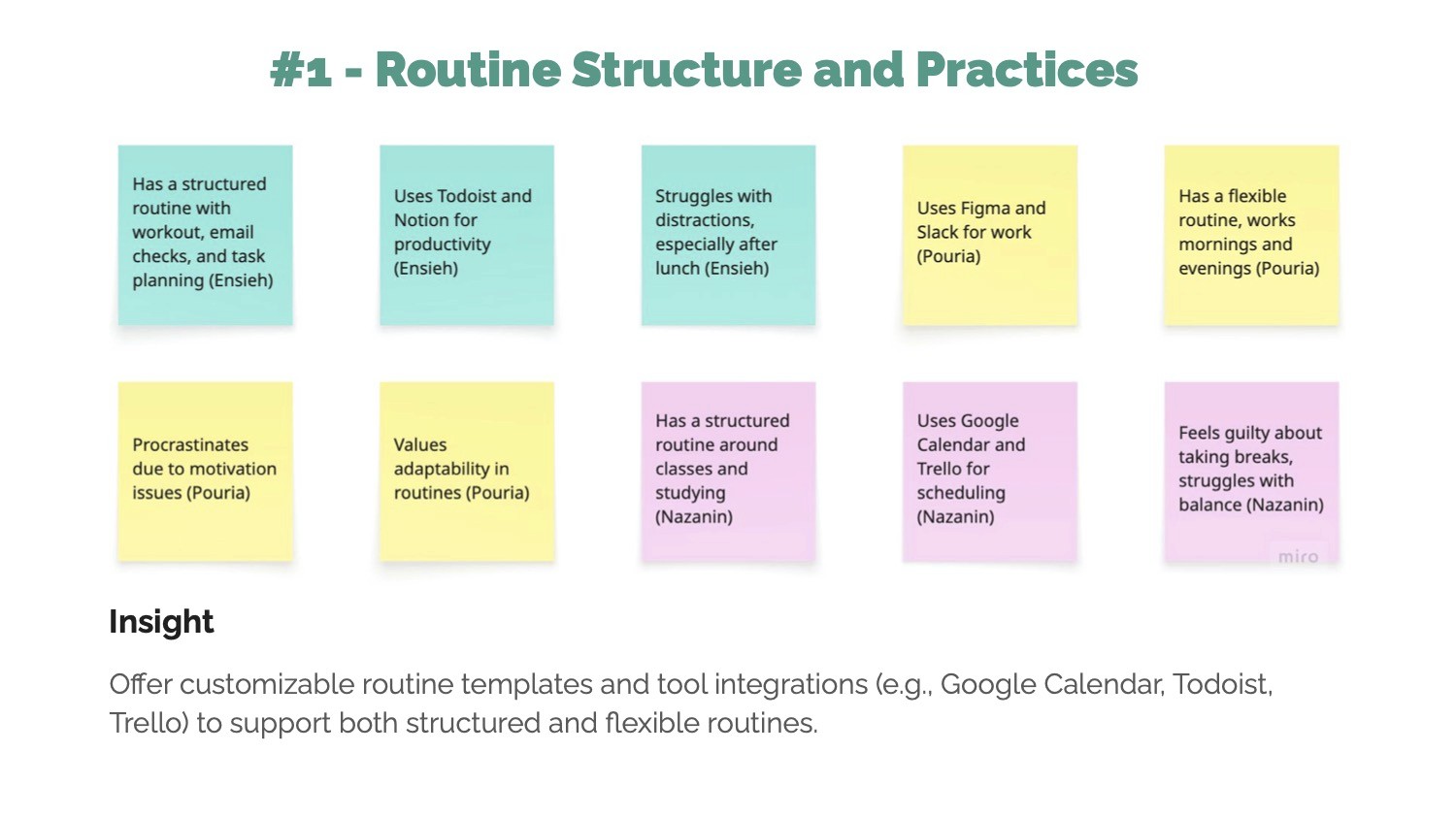
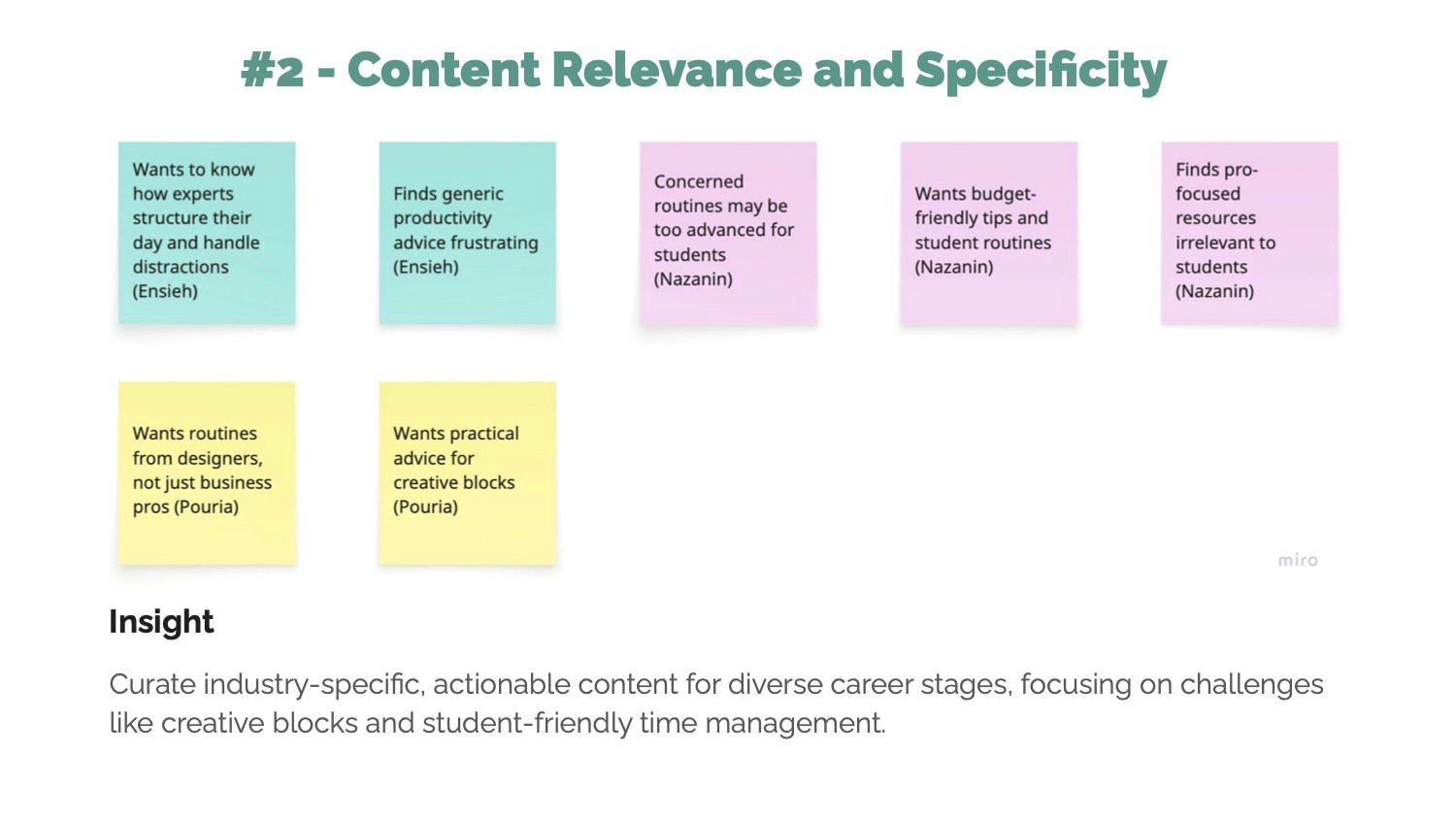
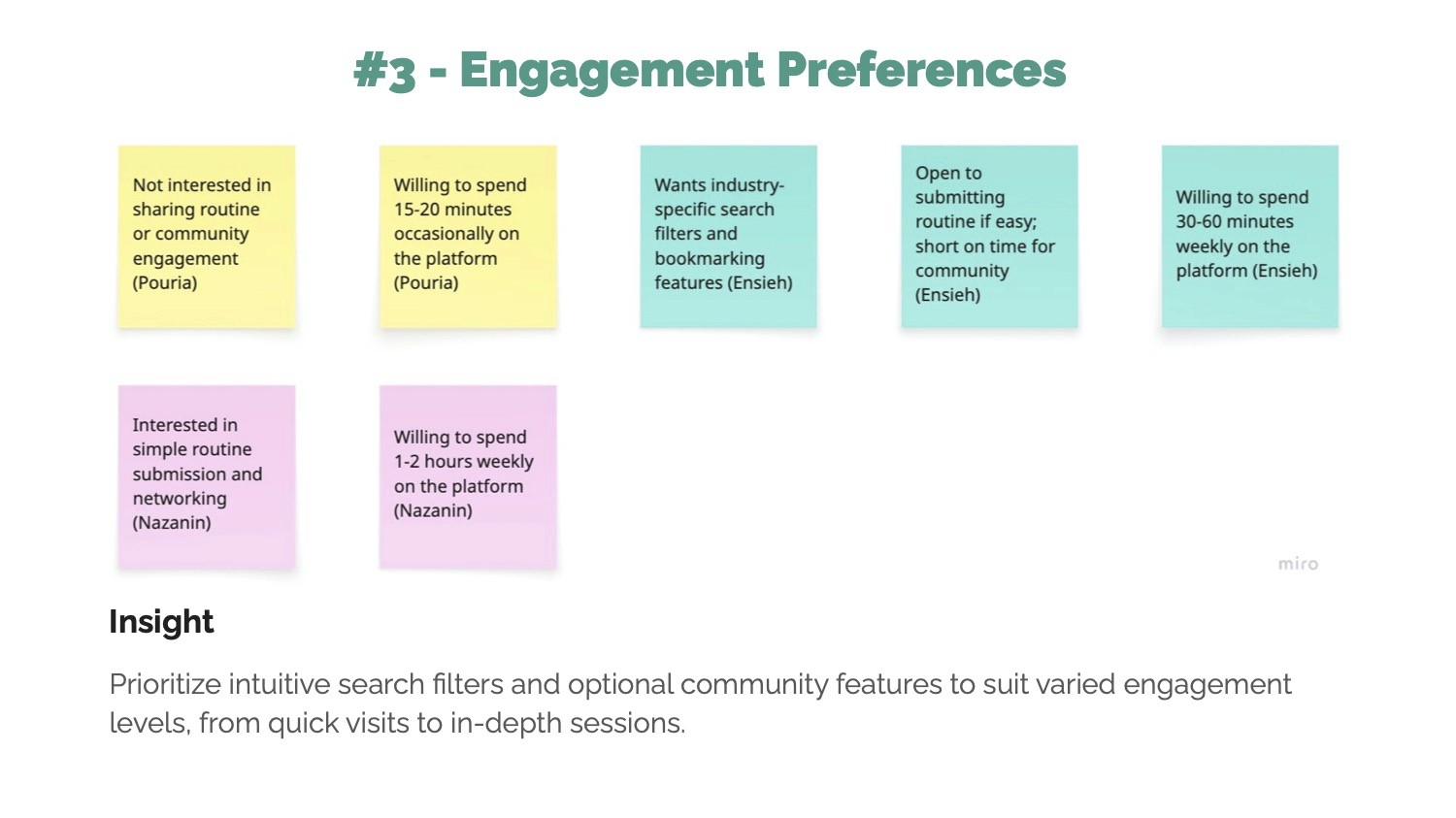
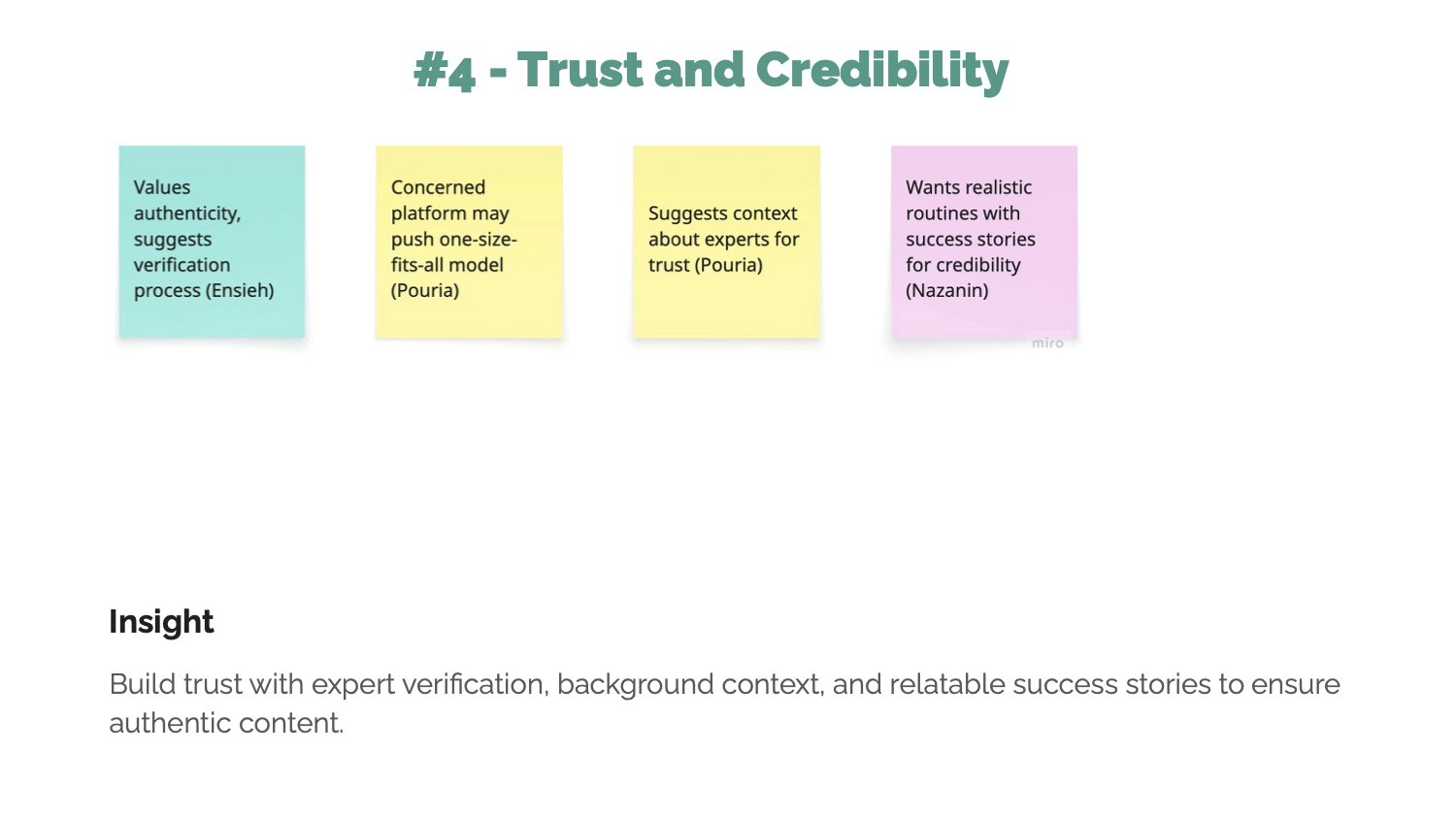
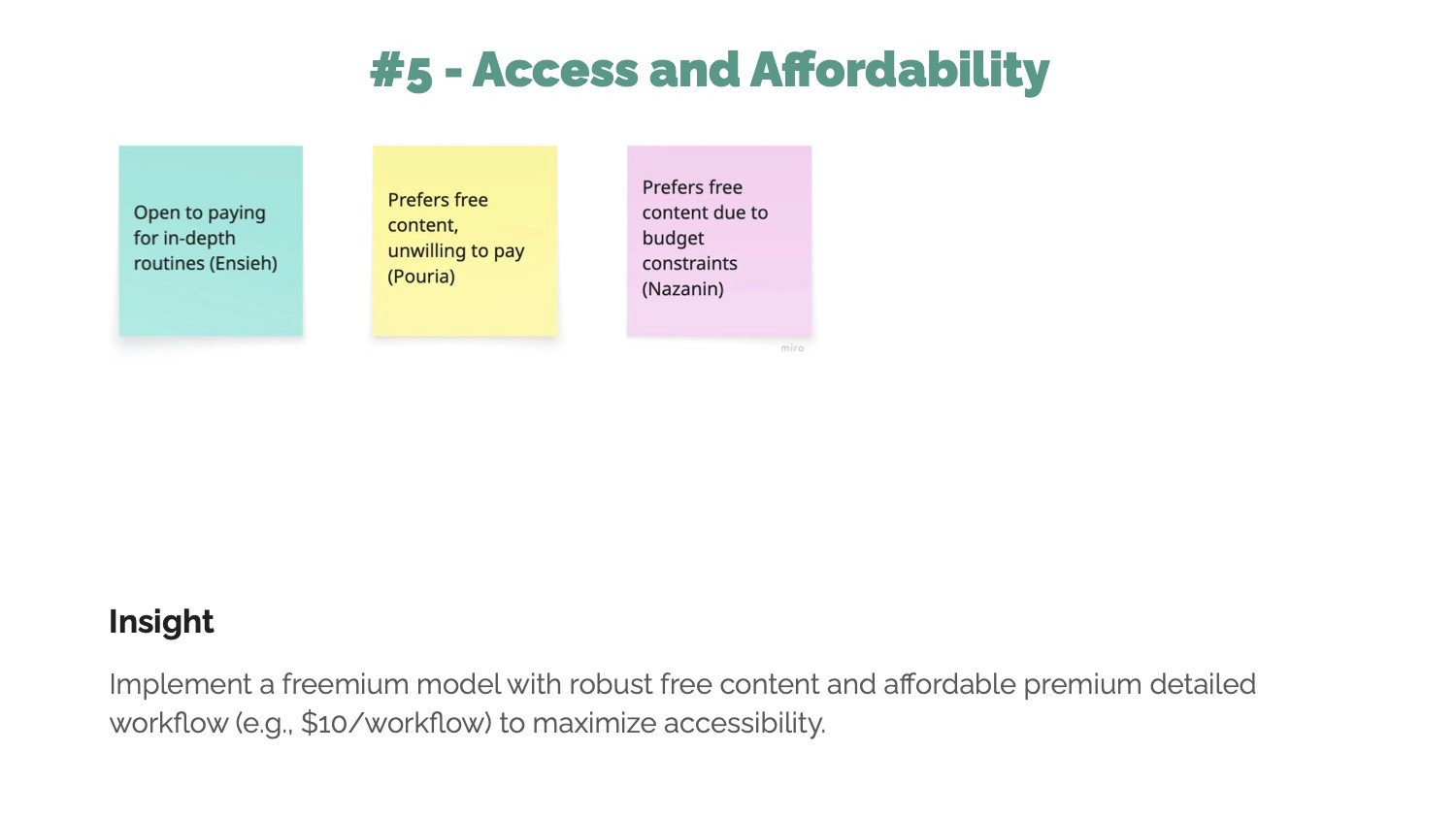
Affinity Themes and Insights
My design process was iterative, moving from broad strategy to detailed execution. The goal was to build a product based on user needs, not my assumptions.
I - Understanding the User
Based on my research, I developed three core user personas to guide my design decisions:
Alex, The Aspiring Developer:
Needs to quickly learn and adapt best practices to accelerate his career.Mary, The Creative Student:
Seeks inspiration and a deeper understanding of how creative theory is applied in the real world.Marcus, The Strategic Professional:
Needs to vet credible experts to solve specific, high-level challenges.
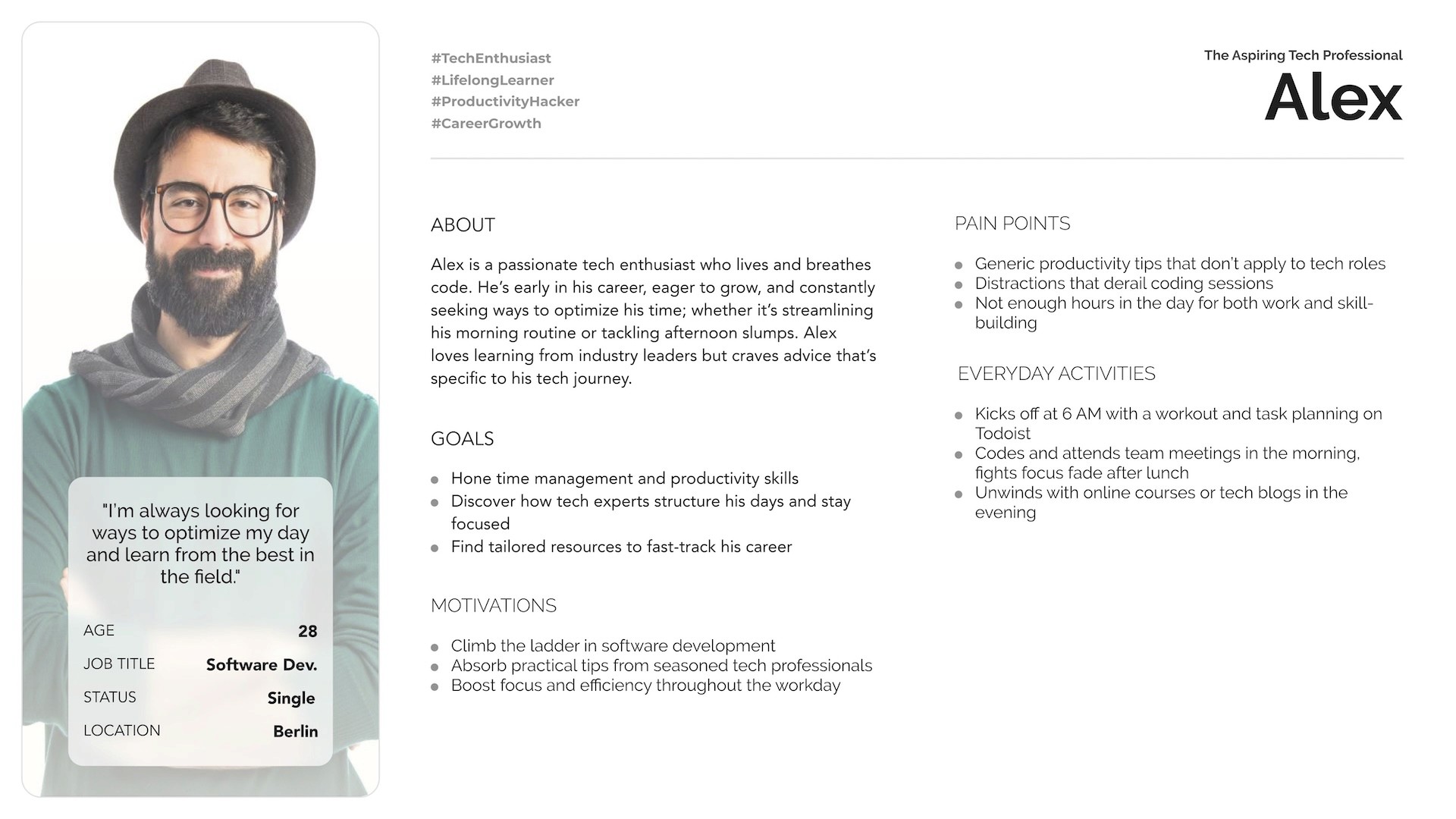
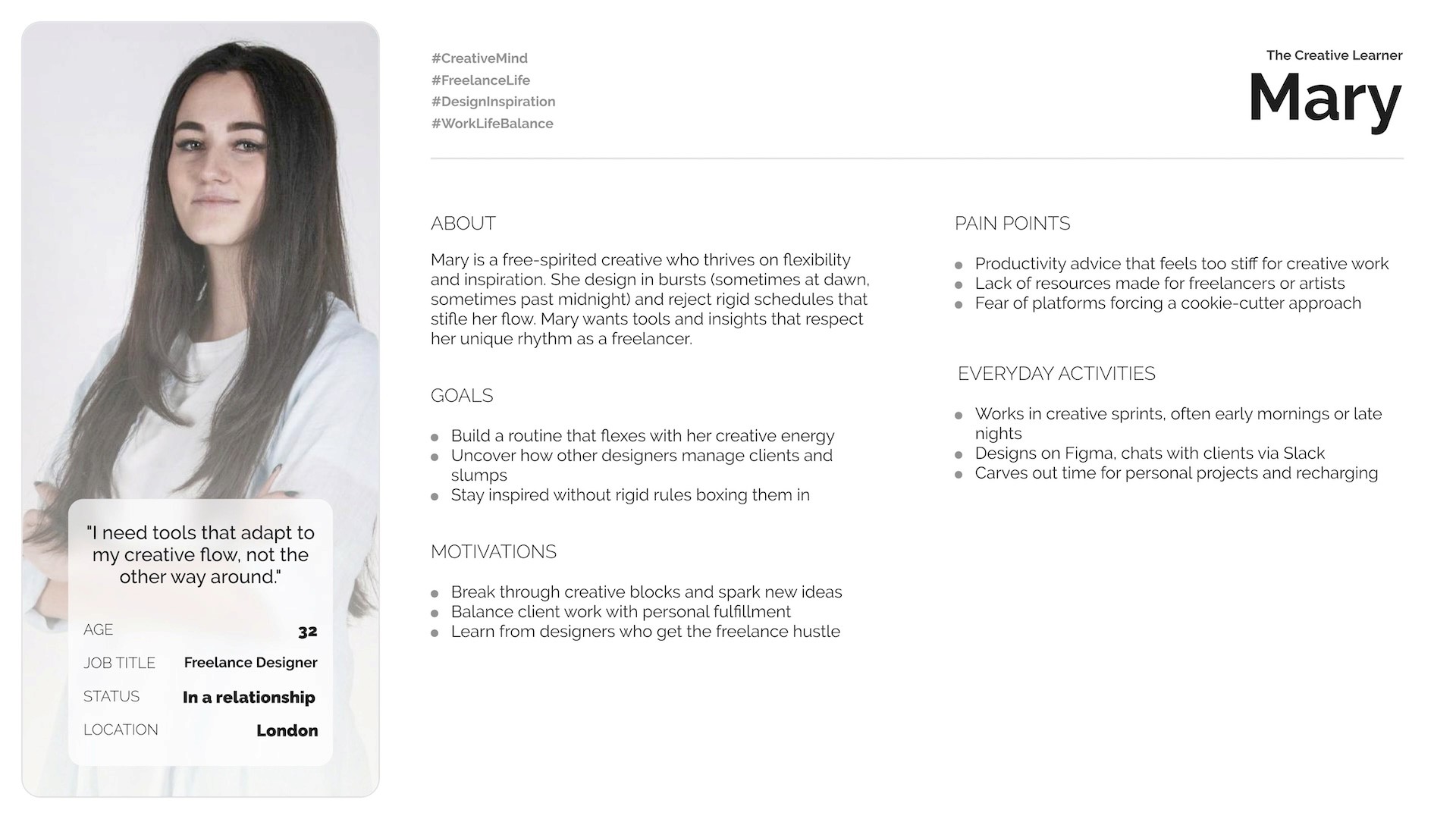
Two detailed persona for Flowmasters' App
II - Ideation & User Journey Map
With my defined users, I outlined the primary user journeys. The most critical one was the journey of discovering a workflow, finding it valuable, and saving it for future use.
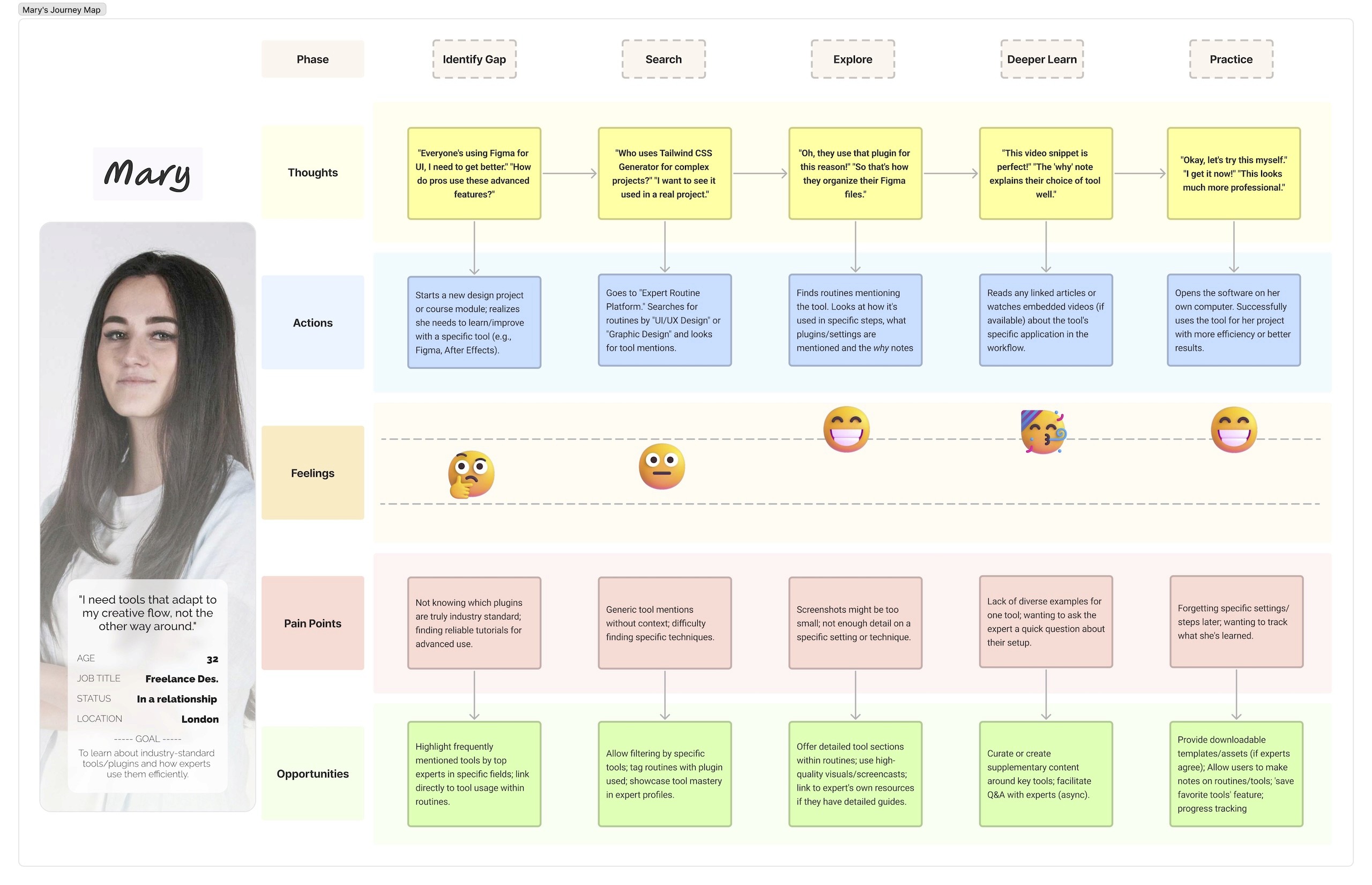
User Journey Map of the Search Function for the Second Persona
III - Information Architecture
To ensure the app's structure was intuitive, I first needed to understand how users mentally group information. I conducted a closed card sorting exercise with potential users. The insights from this exercise revealed a clear pattern in how users expected to find content and directly informed the creation of the app's Sitemap.
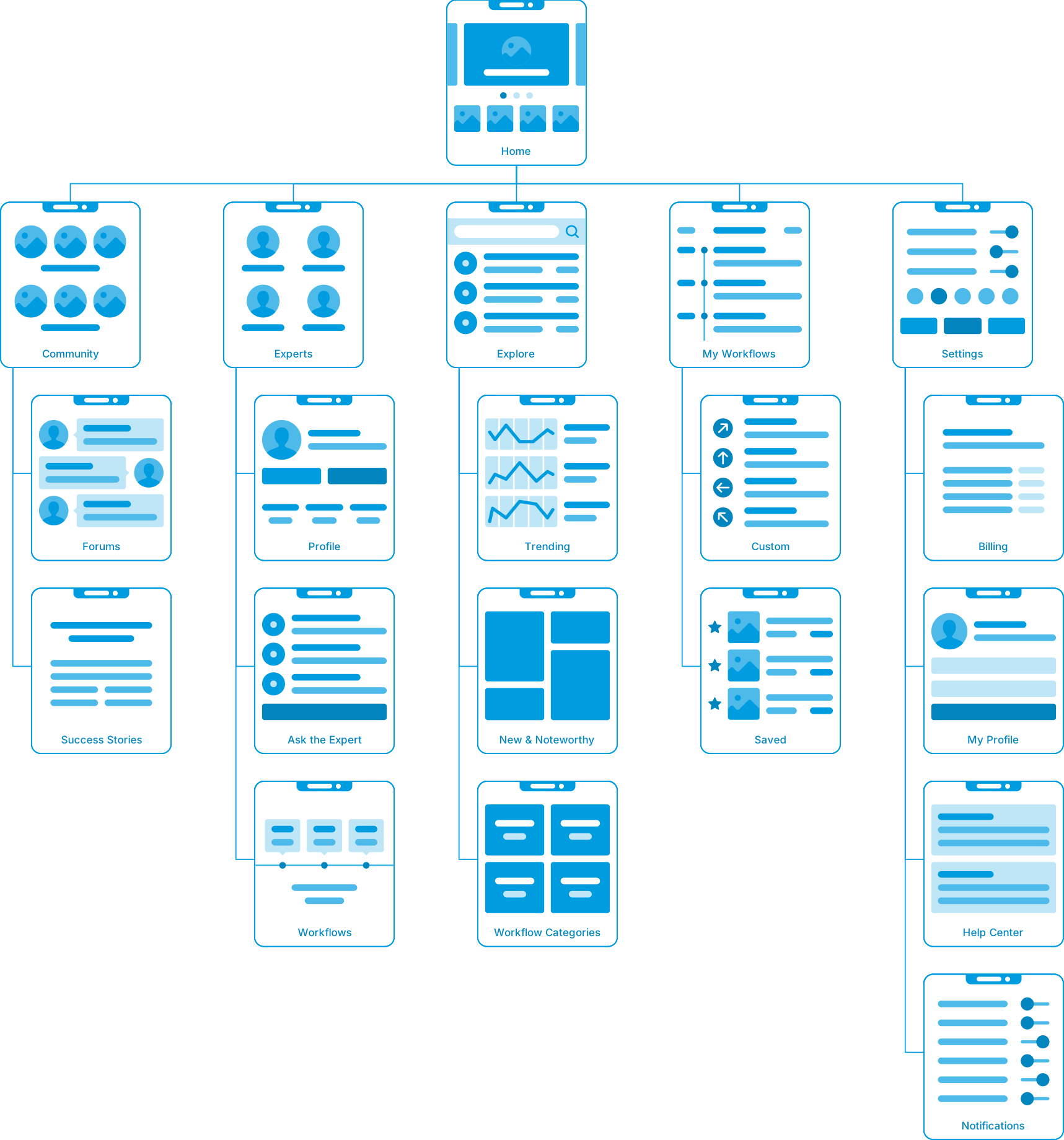
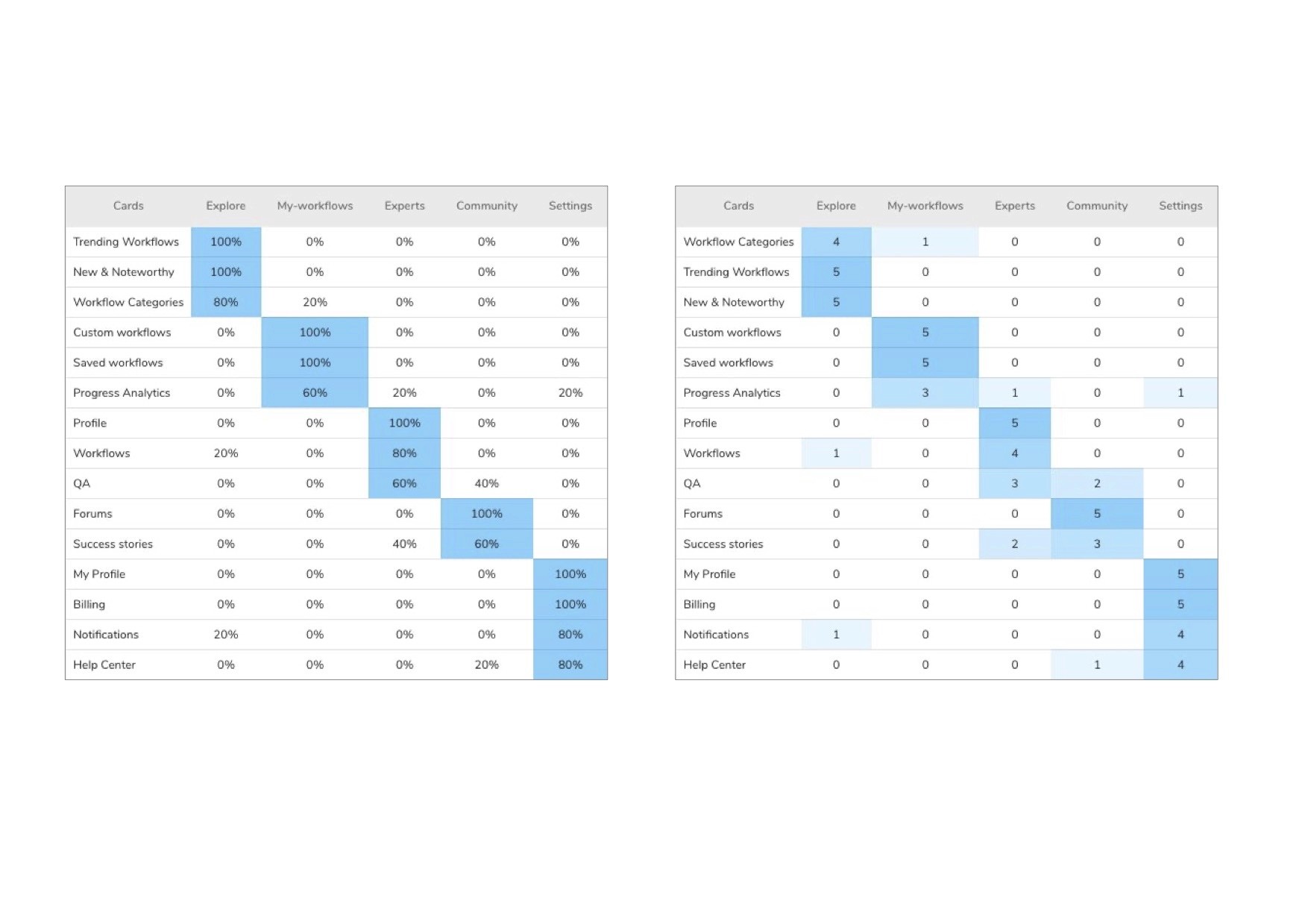
Card sorting results and the sitemap
IV - From Low to High Fidelity
The design of my key screens underwent significant evolution throughout the wireframing process. The "Explore" screen, for example, started as a basic low-fidelity sketch focused on structure. It then moved to a mid-fidelity wireframe where I refined the layout and hierarchy. This iterative process allowed me to test the information architecture before committing to visual design.
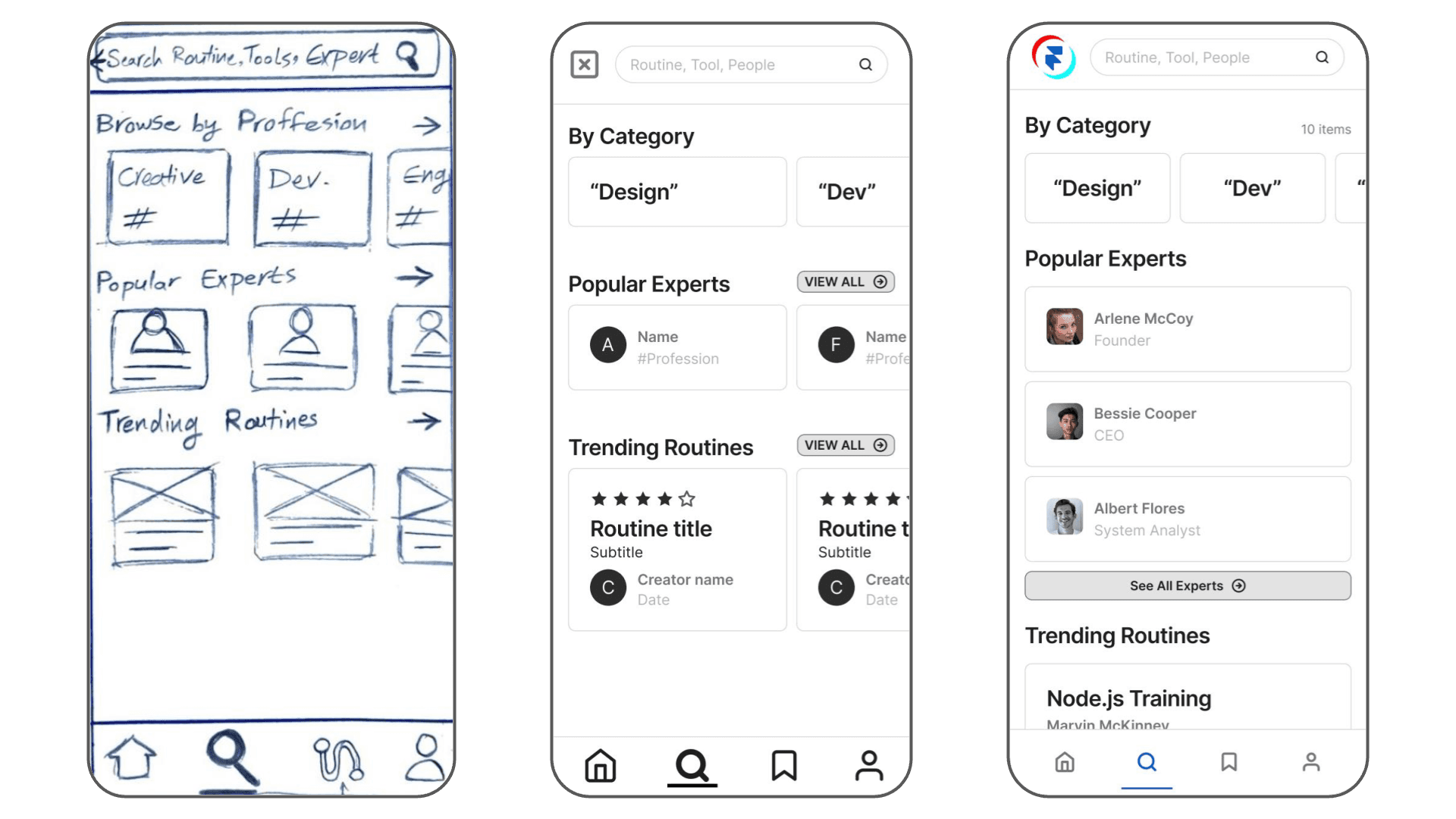
Evolution of the Explore tab from Low-Fidelity to Hi-Fidelity
V - Visual Design
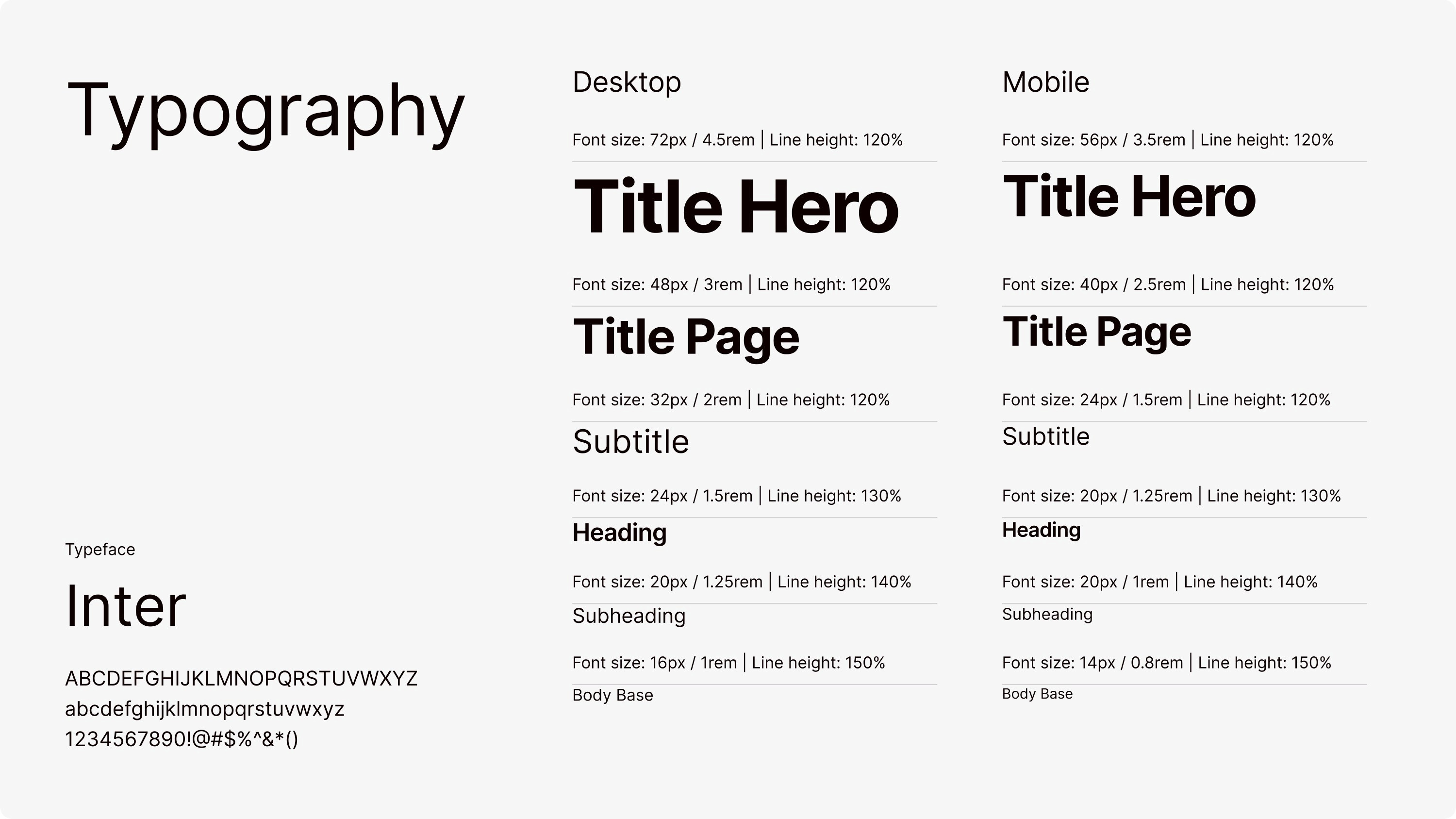
I created a comprehensive style guide to direct the visual design, focusing on a clean, professional, and trustworthy aesthetic. I chose a blue tint color to guide user attention to key actions, paired with clean typography for maximum readability. This system ensured a consistent and polished user experience across the entire application.
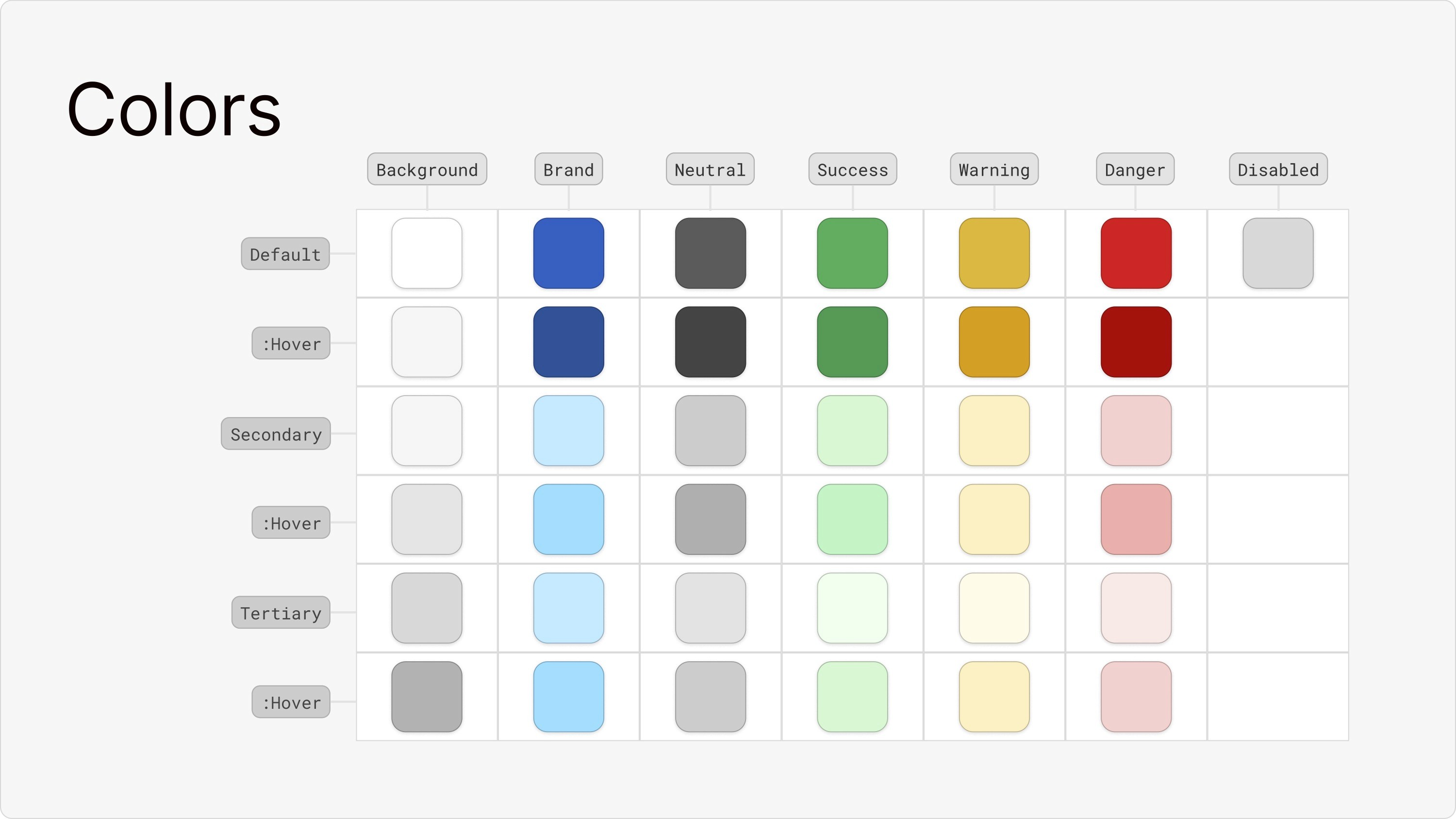
I - Usability Testing & Core Iteration
My design decisions were only hypotheses until I tested them. The validation phase was crucial for turning my assumptions into evidence-based conclusions through a multi-step process of testing and feedback.
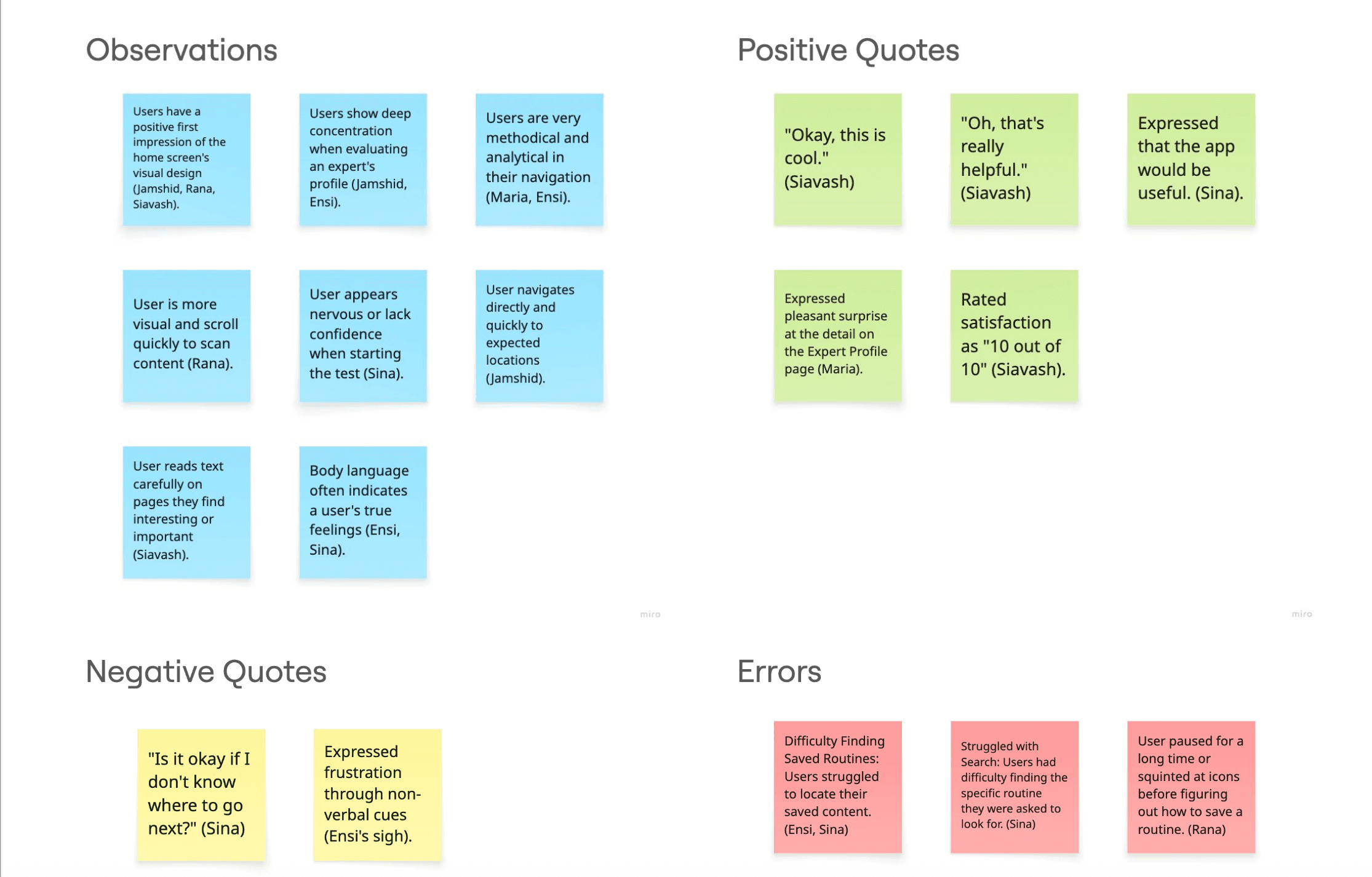
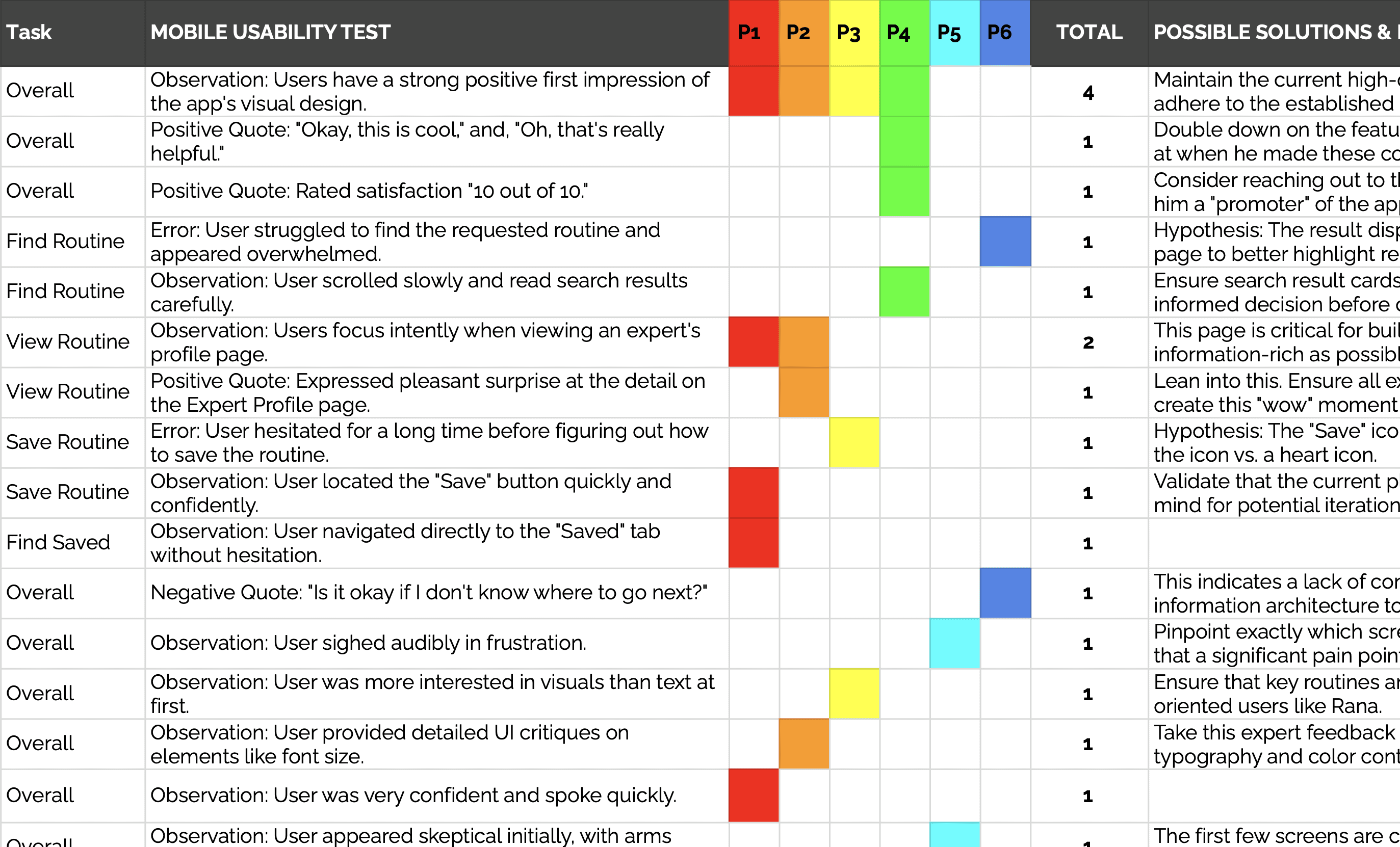
Usability Test Findings

©GIPHY
– Sina | Usability Test Participant –
This quote from a participant trying to find his saved content was a powerful reminder that my initial navigation design was not as intuitive as I had assumed. To solve this, I iterated on the design by adding a clear text label to the navigation bar.
II - Preference Testing
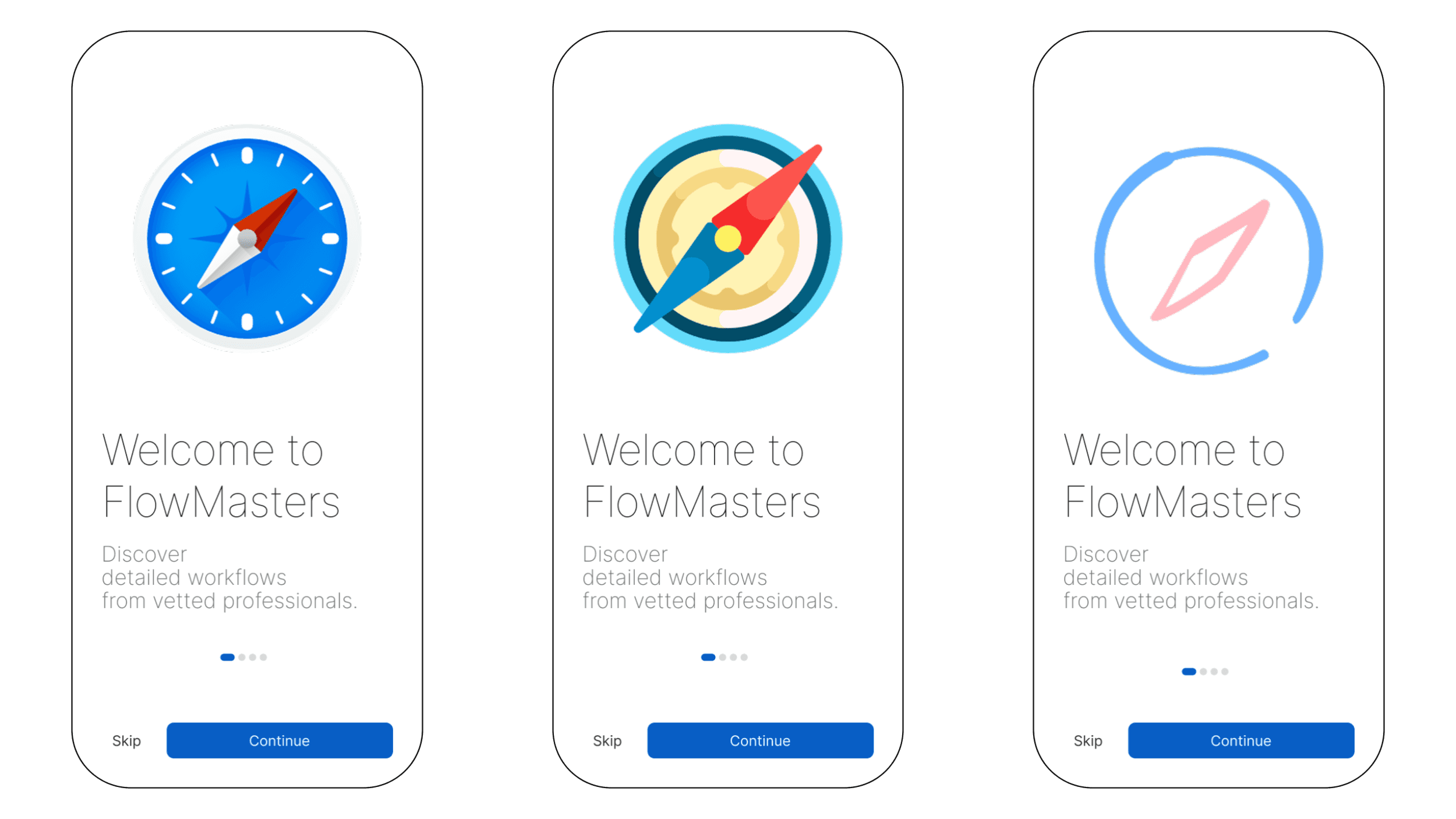
With the core navigation model improved, I next needed to validate my visual direction for the onboarding flow. I conducted a preference test on three variations of the welcome screen. The results were clear: 70% of users preferred the version with the bold, blue compass illustration, giving me a data-driven mandate to move forward with that visual style.
Show the Result
III - Peer Feedback & Final Polish
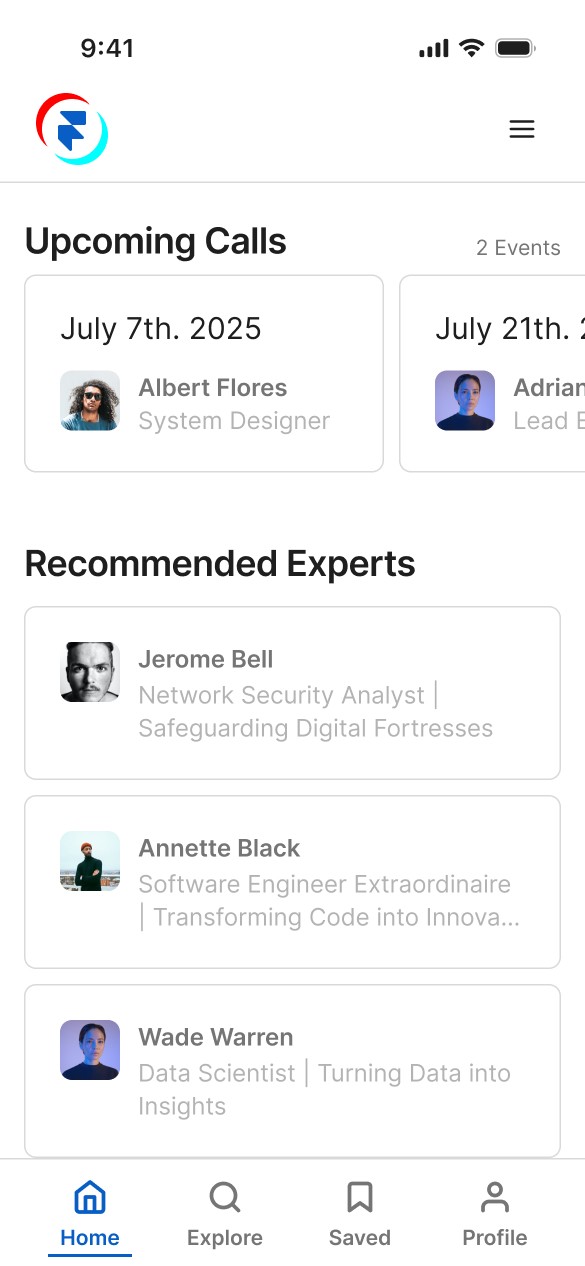
Finally, with the major usability issues resolved and a visual direction confirmed, I gathered extensive feedback on my Figma prototype from my colleague as a final touch. This review process was invaluable for polishing the design. Based on this feedback, I added more descriptive job titles to the "Popular Experts" cards to provide better context and refined my copywriting to ensure consistency.
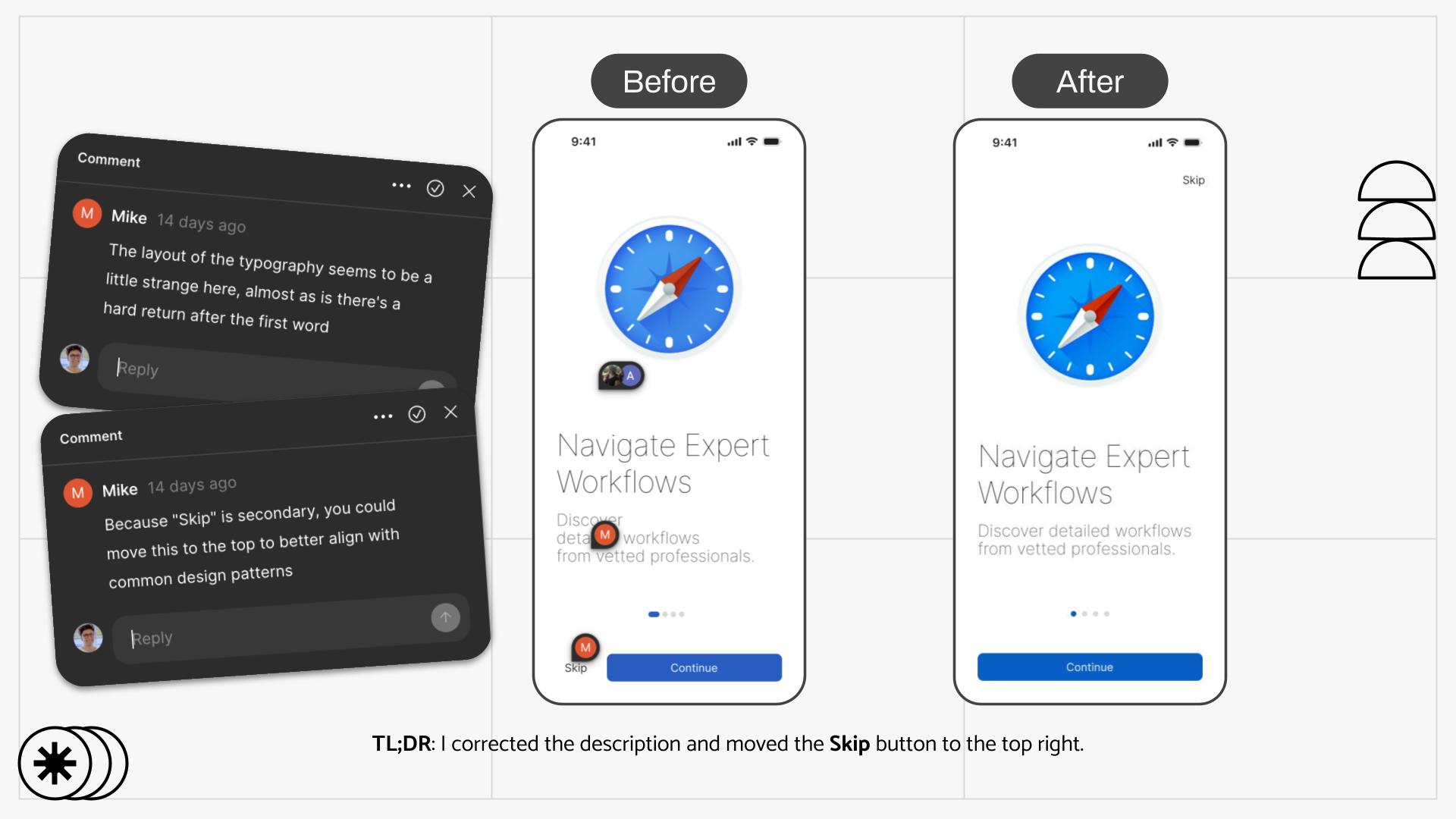
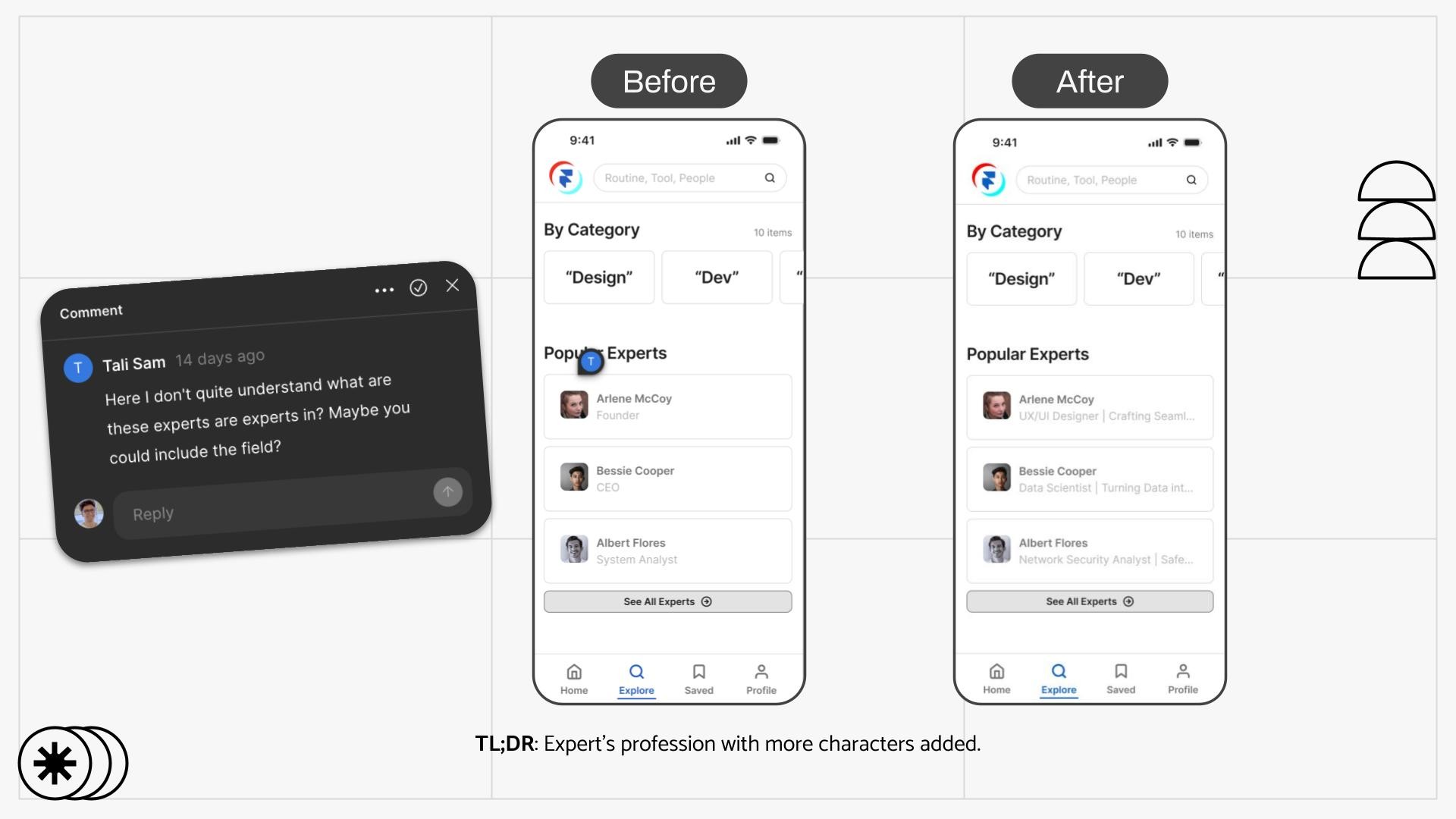
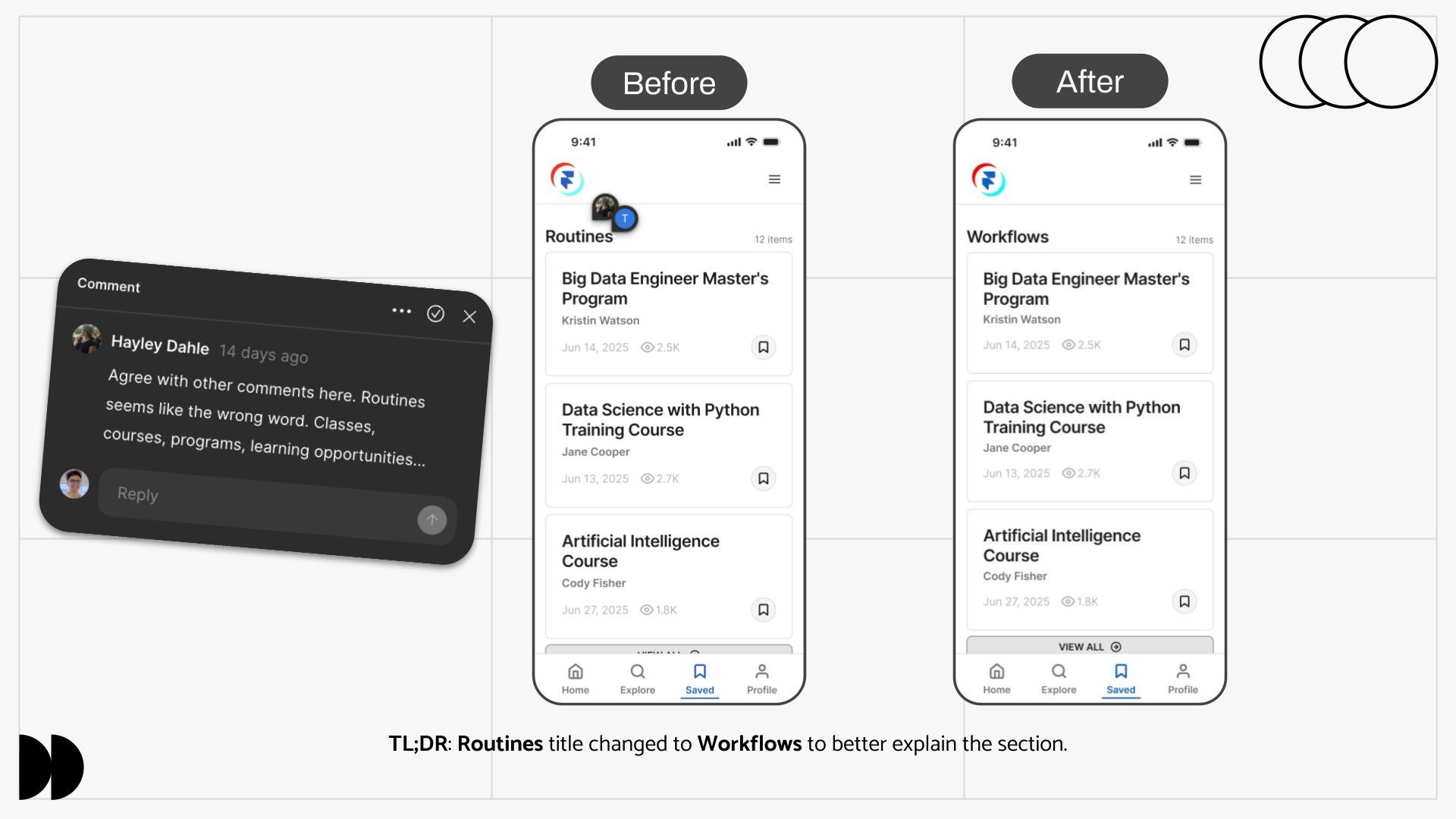
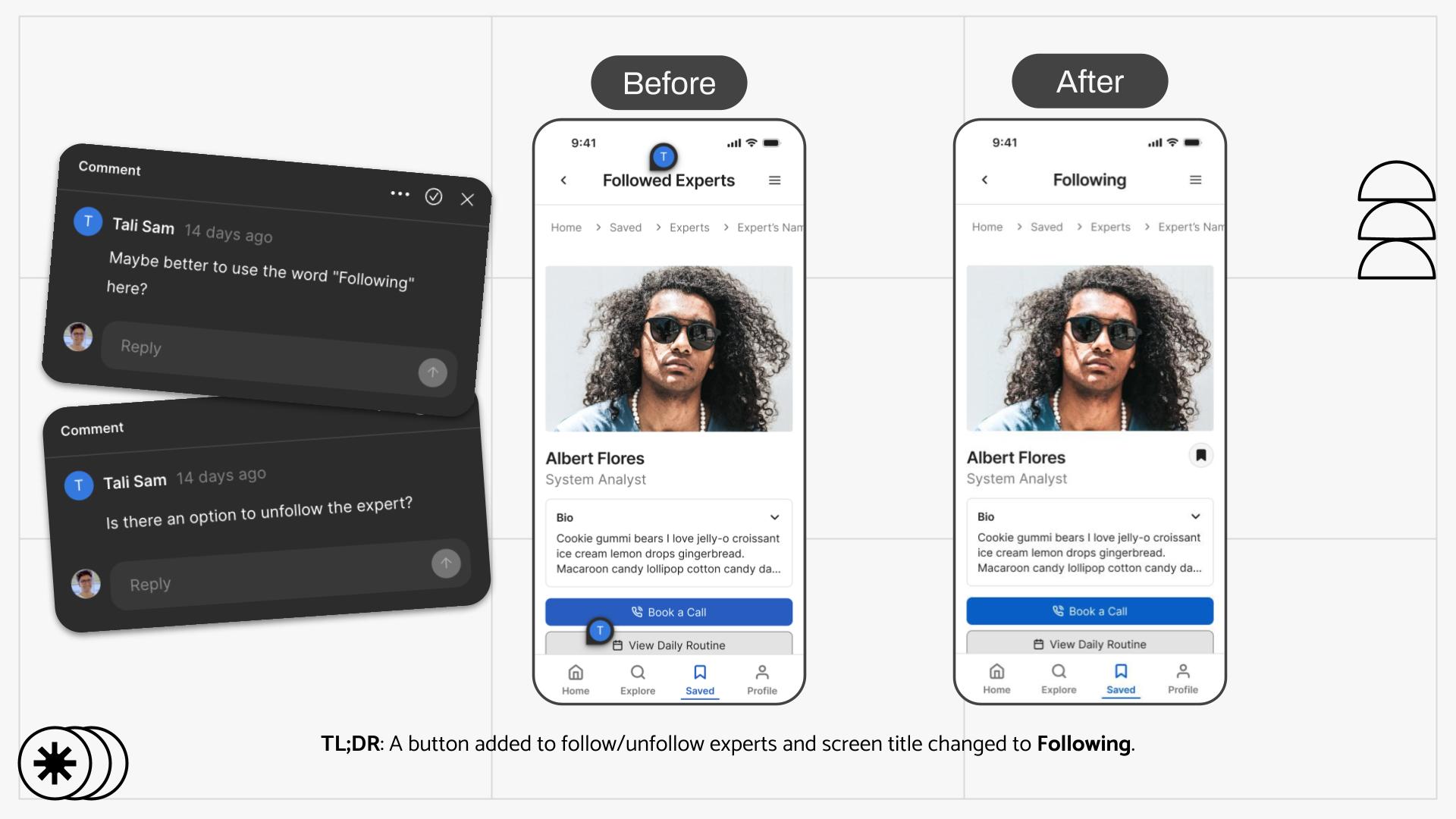
Design Comparison Before and After Internal Feedback
I - The Final Design
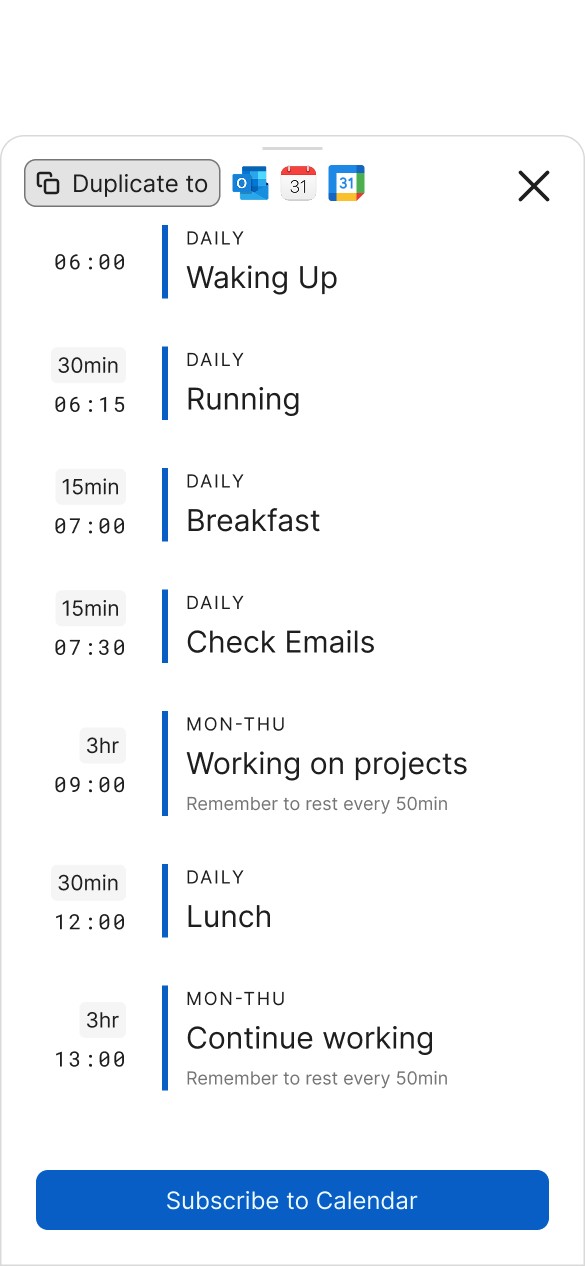
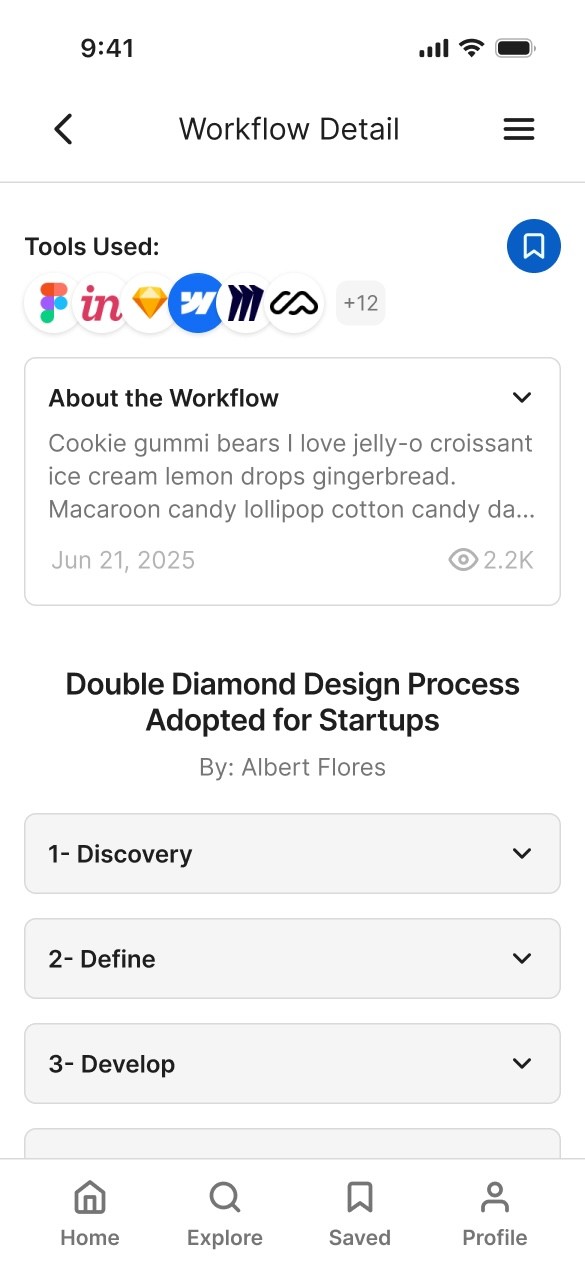
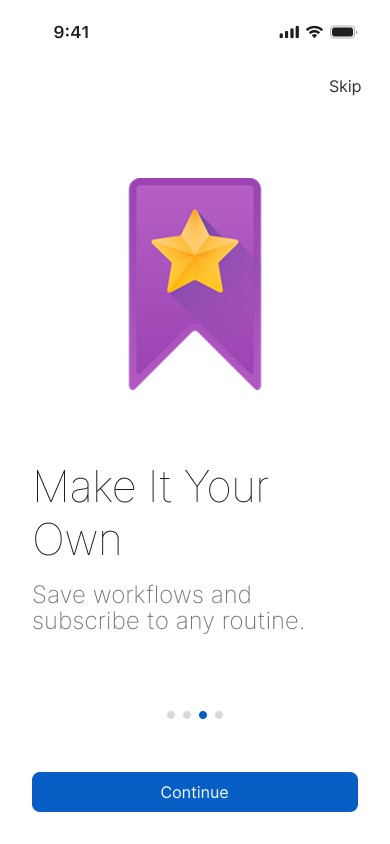
The final design is a direct result of my iterative, user-centered process. It is a clean, intuitive, and engaging platform that successfully guides users toward discovering and utilizing expert knowledge.
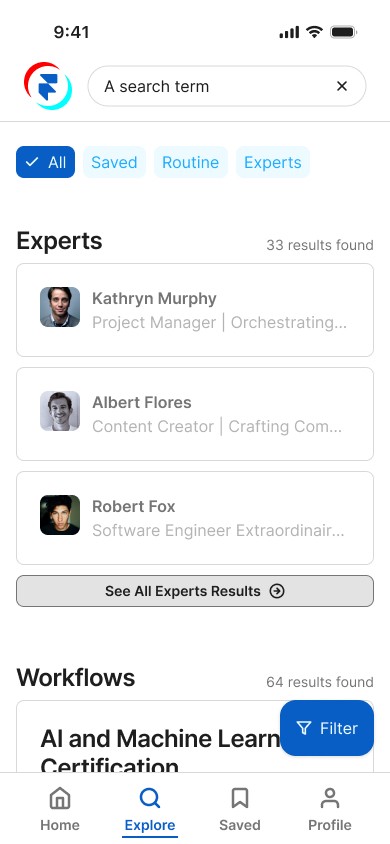
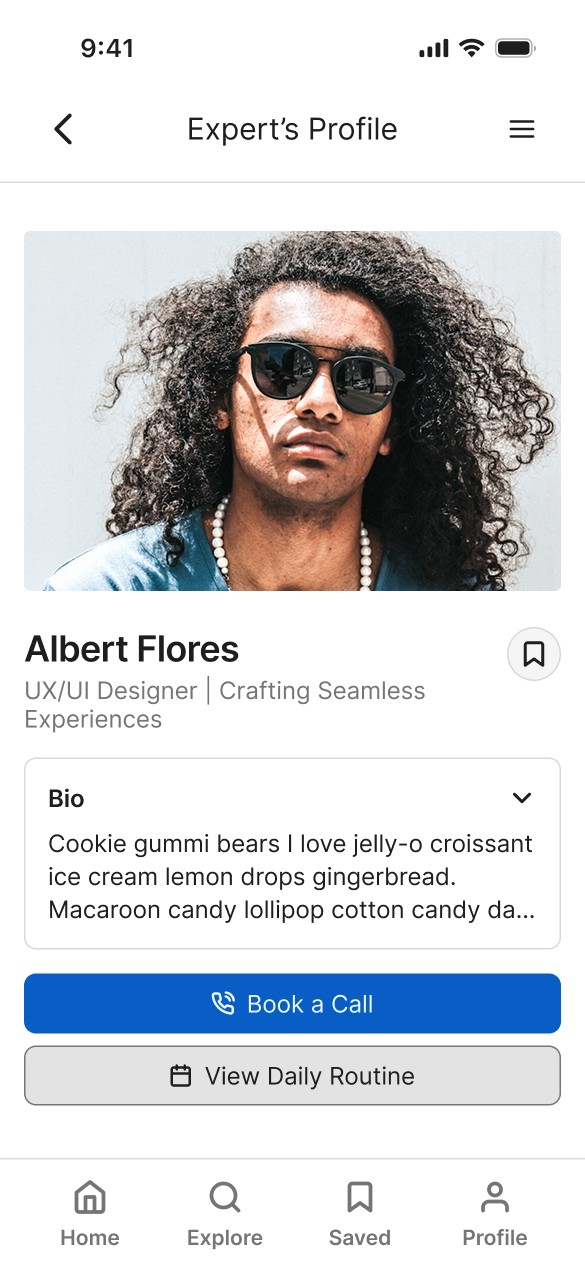
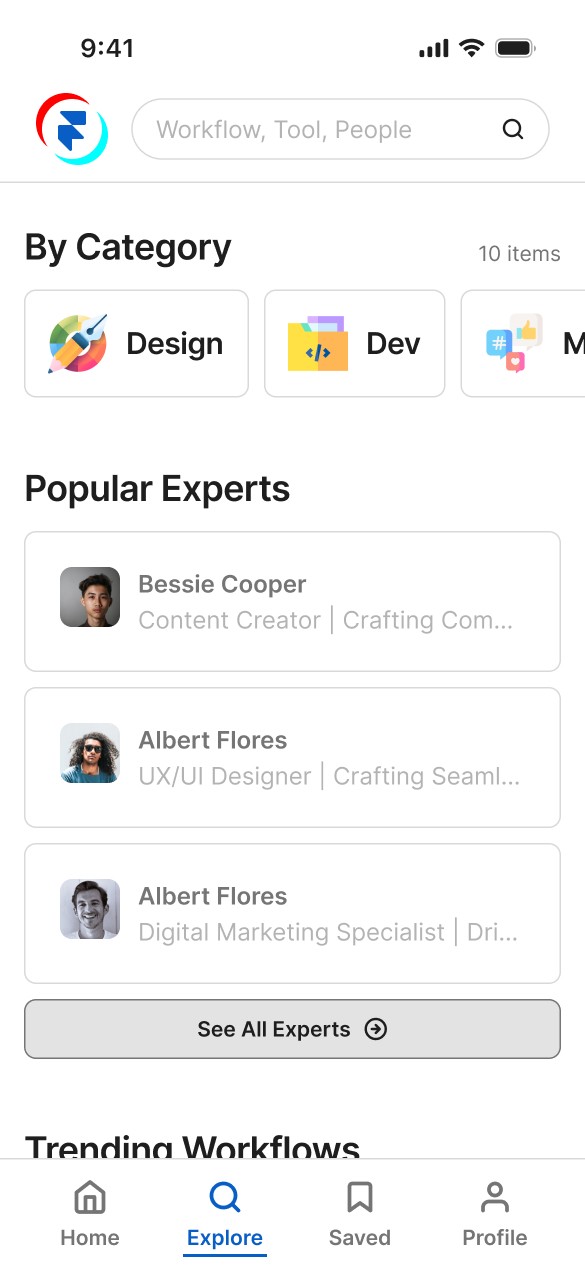
Show Full Deck
II - Impact
The final, validated design directly solves the primary points of user frustration found during testing. By first resolving the critical navigation issue and then polishing the details based on peer feedback, I created a more intuitive path to the app's core value, which is expected to increase user engagement and retention.
III - Lessons Learned
Test Early, Test Often: The combination of usability tests, preference tests, and peer feedback was invaluable. Each step allowed me to correct my course early, saving significant time and resources.
Separating design assumptions from user reality: Realizing my initial navigation concept was flawed wasn't a failure, but a crucial learning moment that led to a better, more user-centered solution.
IV - Next Steps
The design process is never truly finished. My next steps for FlowMasters are to build out the remaining features, including the desktop experience and a guest user flow, and to continue iterating on the product based on analytics and future user feedback.